
This is a hands-on walkthrough for building a specific, narrow agent: one whose only job is to take a company (by domain or name) and return a structured enrichment summary – technology stack, open roles, recent news, and funding activity – pulled live from the PredictLeads MCP Server.
If you’ve already read our guide on building a GTM agent on the PredictLeads MCP Server, this is the narrower, enrichment-specific version of that same idea.
What We’re Building
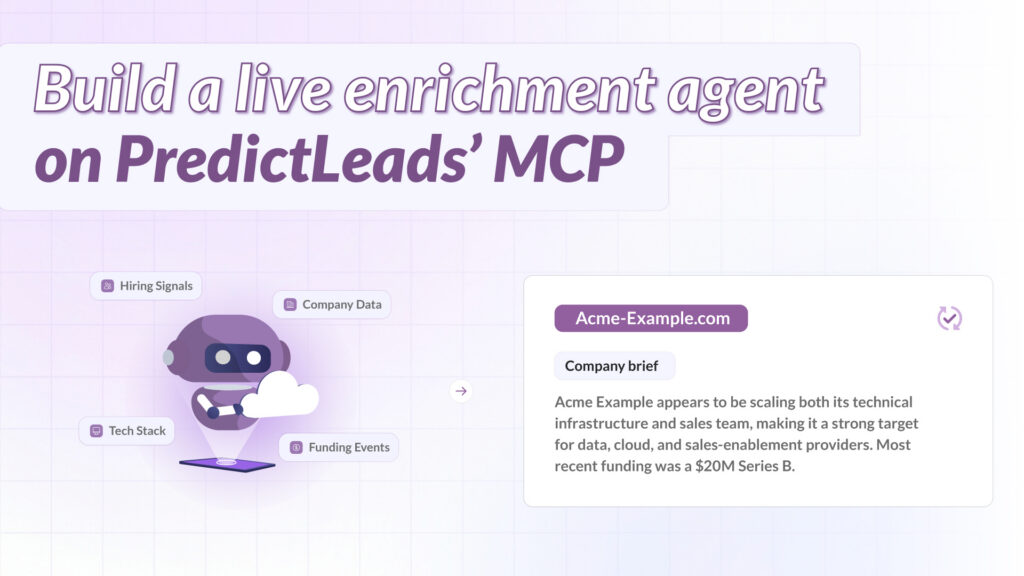
An agent that, given a company domain, returns a short brief covering:
- Current technology stack and recent technology changes.
- Open job postings, as a proxy for where the company is investing.
- Recent company news – launches, partnerships, leadership changes.
- Financing events, if any, and how recent they are.
The point isn’t a dashboard – it’s a single, on-demand answer a rep, analyst, or downstream workflow can request whenever they need it, instead of pulling it from a field that was last refreshed weeks ago.
Step 1: Connect the MCP Server
Add the PredictLeads MCP server to your agent client, pointing at https://mcp.predictleads.com/. For a quick setup, authenticate with HTTP headers using your API key and token, available from your Subscription Plans page:
X-Api-Key: {your_api_key}X-Api-Token: {your_api_token}
For a production deployment, use the OAuth2 Client Credentials flow instead – Access Token URL https://oauth.predictleads.com/token, with your API key as the Client ID and your API token as the Client Secret. Exactly how you register the server depends on your agent framework; see the MCP integration docs for client-specific setup notes.
Step 2: Give the Agent a Narrow Job
Rather than exposing every PredictLeads tool with a generic “answer anything about this company” prompt, scope the agent’s instructions specifically: given a company domain, call the technology, job openings, news events, and financing events tools for that domain, and return a short structured summary combining all four. A narrow, well-scoped prompt produces more consistent output than an open-ended one, and it makes the agent’s behavior predictable enough to plug into a larger workflow.
Step 3: Example Run
Given a prompt like “Enrich acme-example.com,” the agent should:
- Call the technologies tool for the domain and summarize the current stack.
- Call the job openings tool and note roles that signal investment areas – engineering growth, new go-to-market hires, and so on.
- Call the news events tool and surface anything from the last 90 days.
- Call the financing events tool and note the most recent round, if any.
- Combine all four into a short brief, rather than four separate answers.
Because every call happens live, the brief reflects the company as it looks right now, not as it looked whenever a batch job last ran.
Step 4: Wiring It Into a Larger Workflow
Once the core enrichment agent works reliably, it’s straightforward to trigger it from other systems – a new-lead webhook, a Slack command a rep runs before a call, or a scheduled review of accounts that haven’t been looked at in a while. The agent itself doesn’t change; only what triggers it does.
A Note on Request Limits
Each account has a monthly request limit tied to its subscription plan. If this agent gets triggered automatically at volume – for example, on every inbound lead – check your plan’s limit first. Exceeding it returns a 402 HTTP error until the next billing cycle.
FAQ
Any MCP-compatible client, including Claude and other agent frameworks that support HTTP-based MCP connections authenticated via OAuth2 or HTTP headers.
The GTM agent guide covers a broader outreach and account-research workflow. This tutorial builds a narrower agent focused specifically on producing a structured enrichment summary for a single company on demand.
Not necessarily. Scoping the agent to a specific, defined set of tools for a specific job produces more predictable, consistent output than giving it access to everything and an open-ended instruction.
Requests beyond your monthly limit return a 402 HTTP error until the next billing cycle. Check your plan’s request limit before triggering the agent automatically at high volume.
Related Guides
- PredictLeads MCP Integration Docs
- Building a GTM Agent on the PredictLeads MCP Server
- PredictLeads MCP Integration Guide
Ready to see this in your own data?
Get 100 free API requests/month – no credit card, no sales call.