
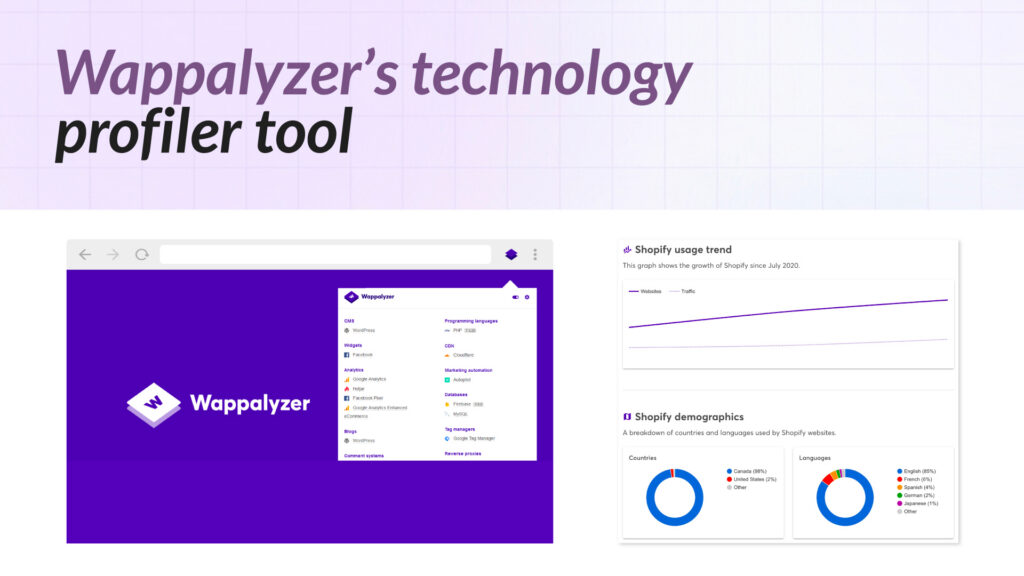
Wappalyzer is a browser extension and website lookup tool, founded in 2008, that identifies the technologies visible on a company’s public website. It has a following among developers and sales researchers looking for a quick way to check what CMS, analytics tools, or frontend frameworks a website is running. However, if you’re looking for different options, there are several wappalyzer alternatives available that offer similar functionality.
Website scanning is useful for that narrow job. But it has real limits for B2B teams who need to understand what a company is actually investing in.
Many of the technologies that matter most for sales and go-to-market work: CRM systems, data warehouses, cloud infrastructure, security platforms, engineering tooling. Rarely appear in HTML, JavaScript tags, or cookies. A website scan tells you what a company shows on the outside. It cannot tell you what the company is building, running internally, or moving toward.
This guide looks at the main Wappalyzer alternatives in 2026, explains what each one actually covers, and helps you figure out which fits your use case.
This article focuses on choosing the right provider. For how to put technographic data to work in practice, see our guide: How to Use Technographic Data for Sales Prospecting.
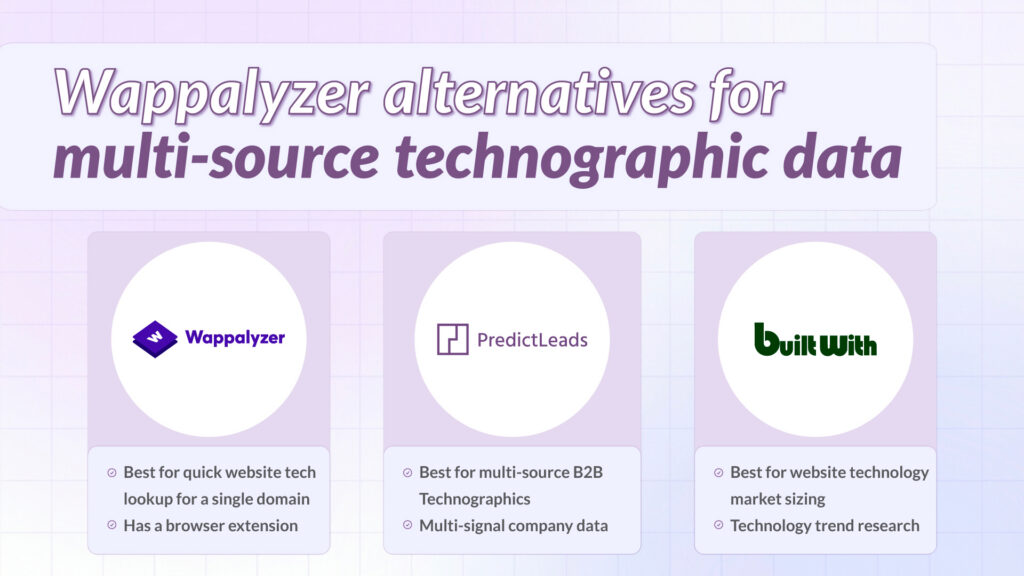
Quick Comparison: Best Wappalyzer Alternatives in 2026
| Provider | Primary Detection Method | Company Coverage | Best Suited For |
| PredictLeads | Website, DNS, job postings, IP ranges | 87.8M+ companies | GTM teams, enrichment pipelines, AI agents |
| BuiltWith | Website scripts and HTML | 600M+ websites (website-based, not company-based) | Market sizing and website tech research |
| TheirStack | Job postings only | ~11M companies | Engineering stack detection via hiring data |
| Coresignal | Website + job postings | ~70M+ companies | Bulk datasets for analytics and enrichment |
| Wappalyzer | Website scripts and HTML | Website-focused | Quick website tech lookup |
Note: PredictLeads coverage is company-based (87.8M+ companies). BuiltWith coverage is website-based (600M+ URLs). These figures measure different things and are not directly comparable.
All PredictLeads statistics in this article reflect June 2026 data.
Why Teams Look for Wappalyzer Alternatives
Wappalyzer works well when you need to quickly identify what technologies a company uses on its public website. CMS platforms, analytics tags, live chat widgets, and frontend frameworks all leave traces in the page source that Wappalyzer picks up reliably.
The problem emerges when you need to answer higher-value questions:
- Which companies are actively investing in Snowflake, Databricks, or Salesforce? These tools never appear in website code.
- Is this prospect building a modern data stack, or are they still running legacy infrastructure?
- Are they growing fast enough: hiring, raising money, launching new products: to be worth prioritizing right now?
- Which companies in my ICP recently adopted a competitor’s tool?
None of these questions can be answered by website scanning. The technologies that indicate real purchasing intent live in job descriptions, DNS configurations, and infrastructure signals that Wappalyzer was never designed to reach.
A company with HubSpot in its page source is a data point. A company that just hired three HubSpot admins, raised a Series B, and launched a new product line is a buying signal. The difference is the data layer underneath.
Looking for a broader comparison of the top technographic data providers? See Best Technographic Data Providers for B2B Targeting in 2026.
1. PredictLeads: Best for Multi-Source B2B Technographics
PredictLeads is a company intelligence data provider that delivers structured company signals via API, flat files, webhooks, and MCP. Its technographic dataset detects technologies from five distinct sources: website scripts and HTML, DNS records, IP ranges, cookies and headers, and job posting analysis. This multi-source approach surfaces both the frontend tools visible on a company’s website and the backend or infrastructure technologies that typically appear only in hiring requirements, DNS records, or other indirect signals.
The result is 1.4B+ technology detections across 87.8M+ companies, covering a far broader and deeper picture of actual technology adoption than any website scanner can provide.
What Makes PredictLeads Different
Most technographic tools answer one question: what is on this company’s website? PredictLeads is designed to answer a different question: what is this company actually using, investing in, and moving toward?
When a company posts a job requiring Snowflake, Terraform, or Datadog, that is a direct signal of current use or planned adoption. Often months before the technology becomes visible anywhere else. PredictLeads captures this signal systematically, at scale, across 87.8M+ companies worldwide.
Crucially, PredictLeads also shows the source behind every detection. You can see whether a technology was detected from the website, from DNS, from a job posting, or from multiple sources simultaneously. This transparency makes the data far more actionable for scoring and prioritization.
Key Features (stats from June 2026)
- 50,000+ technologies tracked across 87.8M+ companies
- 1.4B+ technology detections from multiple detection sources
- Detection source shown per record: full transparency on why each technology was flagged
- Job Openings Dataset: 2.8M+ companies, 9.2M+ active jobs with O*NET codes, seniority, salary, and department
- News Events Dataset: 37 structured categories, 9.6M+ events from 20M+ sources since 2016
- Financing Events Dataset: structured funding announcements with type, amount, and investors
- Similar Companies Dataset: lookalike matching across 18.8M+ companies
- API, Webhooks, Flat Files (AWS S3, GCS, SFTP), and MCP for AI agent workflows
- Pay-as-you-go pricing from $0.04/credit, 100 free credits/month
How PredictLeads Compares to Wappalyzer Directly
| Capability | PredictLeads | Wappalyzer |
| Website technology detection | Yes | Yes |
| DNS-based technology detection | Yes | No |
| Job posting technology signals | Yes | No |
| IP range detection | Yes | No |
| Technologies tracked | 50,000+ | ~6,000–50,000 (tier dependent) |
| Company coverage | 87.8M+ companies | Website-focused |
| Backend / infrastructure detection | Yes | No |
| Detection source shown | Yes: per record | No |
| Job openings data | Yes: 9.2M+ active jobs | No |
| News and funding signals | Yes | No |
| API delivery | Yes: pay-as-you-go | Yes |
| MCP support | Yes | No |
Best For
- Sales and GTM teams building prospect lists based on real technology investment signals
- RevOps and data teams enriching CRMs and data warehouses with multi-source technographics
- Lead scoring models that combine technology adoption with hiring velocity and funding signals
- AI agents and LLM workflows that need structured company intelligence at scale
- Market intelligence teams tracking technology adoption across large company universes
2. BuiltWith: Website Technology Research at Scale
BuiltWith has been around since 2007 and has broad website technology coverage. It crawls public websites and detects technologies from scripts, tags, and HTML. Making it strong for market sizing and competitive research within the website-visible segment.
BuiltWith covers 600M+ websites and tracks 100,000+ web technologies, giving it the broadest raw coverage of any website-scanning tool. It also provides historical technology data, which is useful for tracking when companies adopted or dropped specific tools over time.
The constraint is the same as Wappalyzer: BuiltWith only sees what is in the page source. Backend systems, internal tooling, and infrastructure investments are invisible to it. If your use case is understanding what is running on company websites at scale, BuiltWith is strong. If you need to understand what companies are actually investing in across their full technology stack, it falls short.
Key Features
- 600M+ websites crawled
- 100,000+ web technologies tracked
- Historical technology adoption data
- Technology market share and trend analysis
- API access and data exports
3. TheirStack: Job Posting Detection Only
TheirStack detects technologies by analyzing job postings. Identifying tools that companies mention in hiring requirements. This surfaces some backend and engineering stack technologies that website scanners miss, which is why it appears on many comparison lists.
However, TheirStack uses job postings as its sole detection source. This means it misses everything visible on websites, in DNS records, in IP configurations, and in infrastructure signals. It covers approximately 11M companies with around 46M total detections.
PredictLeads uses job posting analysis as one of five detection sources and produces 1.4B+ detections across 87.8M+ companies. The main difference is breadth: TheirStack focuses on job-posting-based technology signals, while PredictLeads combines job postings with website, DNS, IP range, and logo-based detection across a much larger company universe. For teams where job-posting-only coverage is sufficient, TheirStack is an option worth evaluating. For most GTM and data teams, the coverage difference is meaningful.
Key Features
- Technology detection from job descriptions
- ~11M companies, ~46M total detections
- API access and historical job data
- 3 credits per company lookup
4. Coresignal: Bulk Datasets for Analytics and Enrichment Teams
Coresignal is a data provider offering company, employee, job posting, and technology datasets. It is primarily used by analytics teams, investment firms, and enrichment providers who need large-scale bulk data rather than real-time API access.
Its technographic data combines website detection with some job-based signals. Coverage is broad but the delivery model: primarily flat files and bulk exports. Makes it less suited to real-time enrichment or trigger-based workflows. It also does not offer the companion datasets (news events, financing events, similar companies) that PredictLeads provides as part of the same API.
Key Features
- Company, employee, job, and technology datasets
- Large-scale bulk delivery via flat files
- Snowflake and cloud storage delivery
- Used primarily for historical and batch analytics
The Core Limitation of Website-Based Scanning
Website scanners like Wappalyzer and BuiltWith detect technologies that leave a traceable footprint in a company’s public page source: analytics scripts, marketing tags, chat widgets, CMS platforms, frontend frameworks, and ecommerce systems.
The following categories of technologies are structurally invisible to website scanning:
- CRM systems: Salesforce, HubSpot, and similar tools run server-side and are not embedded in public pages
- Data warehouse and BI platforms: Snowflake, BigQuery, Redshift, Looker, and dbt leave no website trace
- Cloud and infrastructure tooling: Kubernetes, Terraform, Datadog, and AWS services are internal
- Security platforms: EDR, SIEM, and zero-trust tools are deliberately invisible
- ERP and finance systems: SAP, NetSuite, Workday are entirely backend
- Internal developer tooling: CI/CD pipelines, code review tools, and observability stacks
For B2B sales teams targeting companies based on technology investment: particularly in data, infrastructure, security, or cloud. These are often exactly the technologies that matter most. Website scanning cannot reach them.
Job postings are one of the strongest public signals for these hidden technologies. When a company posts a role requiring specific tools, they are directly disclosing current use or immediate investment intent. DNS records reveal infrastructure choices. IP ranges expose cloud provider relationships. None of this is visible in a webpage.
How to Choose the Right Wappalyzer Alternative
| Your goal | Recommended tool | Why |
| Identify companies investing in backend / infrastructure tech | PredictLeads | Combines website, DNS, job posting, and IP detection in one dataset |
| Website technology market sizing and trend research | BuiltWith | Broadest website-only coverage with historical data |
| Enrich CRM with multi-signal company intelligence | PredictLeads | Technographics + jobs + news + funding in one API |
| Find companies hiring for specific technologies | PredictLeads | 87.8M+ companies vs TheirStack’s 11M: same signal, far more coverage |
| Build AI agent workflows needing company context | PredictLeads | MCP support and structured datasets built for LLM workflows |
| Bulk data for analytics or investment research | Coresignal or PredictLeads | Depends on whether real-time or batch delivery is needed |
| Quick website tech lookup for a single domain | Wappalyzer | Sufficient for one-off lookups on website-visible technologies |
Why PredictLeads Works Well for GTM and Intelligence Teams
The other tools on this list each serve a specific use case well. Wappalyzer and BuiltWith cover website-visible technologies reliably. TheirStack surfaces technologies from job descriptions. Coresignal provides bulk datasets for batch analytics.
PredictLeads is designed to answer a different question: what is this company actually investing in, and what signals suggest they may be in a buying cycle?
By combining five detection sources with job openings, news events, financing events, and company signals, all delivered through a single API with transparent sourcing, PredictLeads gives GTM teams, RevOps functions, and AI builders an intelligence layer that goes beyond static tech detection.
Example: A website scanner may detect Google Analytics and WordPress on a company’s site. PredictLeads may also show that the same company is hiring for Snowflake, Terraform, and Datadog, recently closed a Series B, and is expanding its data engineering team. For GTM teams, that second layer is often where the actual sales signal lives.
The companies most worth reaching are the ones changing right now. Hiring for new tools. Raising money. Launching products. Expanding teams. PredictLeads surfaces all of these signals together, so you can prioritize the right accounts at the right moment. Not after the window has closed.
When PredictLeads Is Not the Right Fit
PredictLeads is not designed for every use case. If you need a browser extension to check one website at a time, Wappalyzer is simpler and costs nothing. If your primary need is frontend technology market-share analysis. It is useful for tracking how many websites run WordPress versus Shopify. BuiltWith is better suited to that research workflow.
PredictLeads is also API-first. Teams without any technical resource to integrate an API or process flat files will find it harder to get started compared to a platform with a built-in UI.
Final Verdict
If your use case is understanding what technologies are visible on company websites: for market research, competitive analysis, or quick one-off lookups. Wappalyzer and BuiltWith are straightforward options.
If you need to detect the technologies companies are actually investing in: including backend systems, infrastructure, data platforms, and engineering tooling. Website scanning will consistently fall short. PredictLeads covers all of these through multi-source detection, across 87.8M+ companies, with source attribution on every record.
For teams building enrichment pipelines, scoring models, GTM triggers, or AI workflows, the combination of technographics, job data, news events, and financing events in a single API makes PredictLeads a strong option to evaluate.
Test PredictLeads with 100 free API credits per month and compare multi-source technology detections against website-only scans → predictleads.com